02SaaS · Project Management
SafeSprint
A free, secure Kanban board for teams: live updates, sprints, WIP limits and four views — with two-factor sign-in, private boards and an audit log switched on by default.
Visit safesprint.app ↗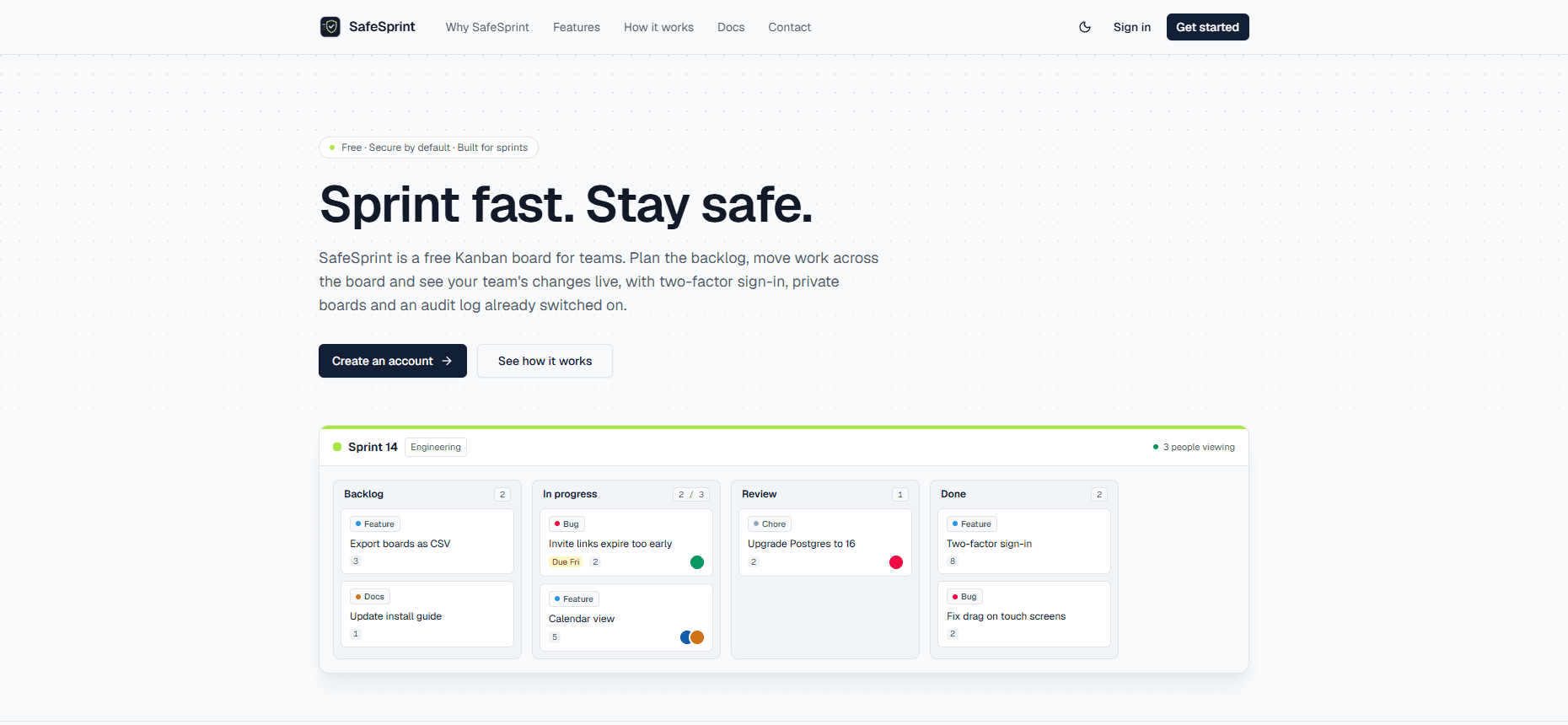
Overview
SafeSprint is a free Kanban board for teams that want to move fast without cutting corners on security. Teams plan the backlog, pull work into progress with work-in-progress limits and see each other's changes live. Cards carry labels, assignees, due dates, estimates, checklists, Markdown, @mentions and attachments, and every board switches between board, table, calendar and swimlane views. Security is on by default: two-factor sign-in that owners can enforce, sessions revocable per device, private boards, server-side permission checks and an audit log — with no trackers inside the app.
What it does
A live board
Cards and lists move with a mouse, a finger or the keyboard, and on a phone you swipe from list to list. Teammates' changes appear without a refresh, you can see who else has the board open, and Ctrl+Z puts the last move back.
Cards with the details
Labels, assignees, due dates, priority, estimates, checklists, Markdown, comments with @mentions and file attachments.
Four views
Board, table, calendar and swimlanes by assignee. Save the filters you use most, and find everything assigned to you under My work.
Built for sprints
Fill the backlog, pull work into progress and use work-in-progress limits so a column can't quietly pile up. When the sprint ends, archive what shipped and start the next one — from scratch or from a template like Sprint or Bug tracker.
Teams and roles
Organizations with owners, admins and members. A private board is only visible to the people on it.
Secure by default
Authenticator codes with recovery codes, which owners can require for the whole organization, sessions you can revoke per device, server-side checks on every action and an audit log for admins — and no trackers inside the app.
Keyboard, import & notifications
Ctrl+K opens a command palette that searches every board you can see. Boards import from JSON and export to JSON or CSV, and assignments, mentions and due dates notify you in the app, by email or in a daily digest.
Built with
- Next.jsThe web app
- Drizzle ORMType-safe database access
- PostgreSQLDatabase
- Tailwind CSSInterface styling
Want something like this?
I'm currently accepting new projects and opportunities.